
CarpodGo T3 Pro Review
I spent some time with the Carpodgo T3 Pro, a portable wireless infotainment display designed to add modern Apple CarPlay and Android Auto functionality to virtually any vehicle. It targets older cars or vehicles without built-in smartphone integration by offering a plug-and-play dashboard upgrade that is simple to install and use.
Disclaimer: This is journalism - not a sponsored review.
Key Features
8.9‑inch Fully Laminated Touchscreen
High-resolution 1920 × 720 pixels with rich colour and clarity. Fully laminated construction reduces reflections and improves contrast.60 fps Wireless CarPlay & Android Auto
Delivers a very smooth CarPlay experience, faster than many competing units that run at 30 fps. Wireless connection means no cable tethering your phone once paired.Quick Startup
Connects and launches CarPlay/Android Auto in around 10–12 seconds after the car is started, faster than typical portable units.Strong Magnetic Mount
Uses an 8 kg magnetic base and optional brackets (suction or sticky pad) for flexible mounting locations on the dash or windscreen.Display‑Only Bluetooth Mode
Rather than acting as a Bluetooth speaker, the device can display CarPlay/Android Auto visuals while your phone connects directly to the car’s own Bluetooth for audio.Night Mode & Light Sensor
Automatic brightness adjustments and timed night mode help keep visibility comfortable across different lighting conditions.
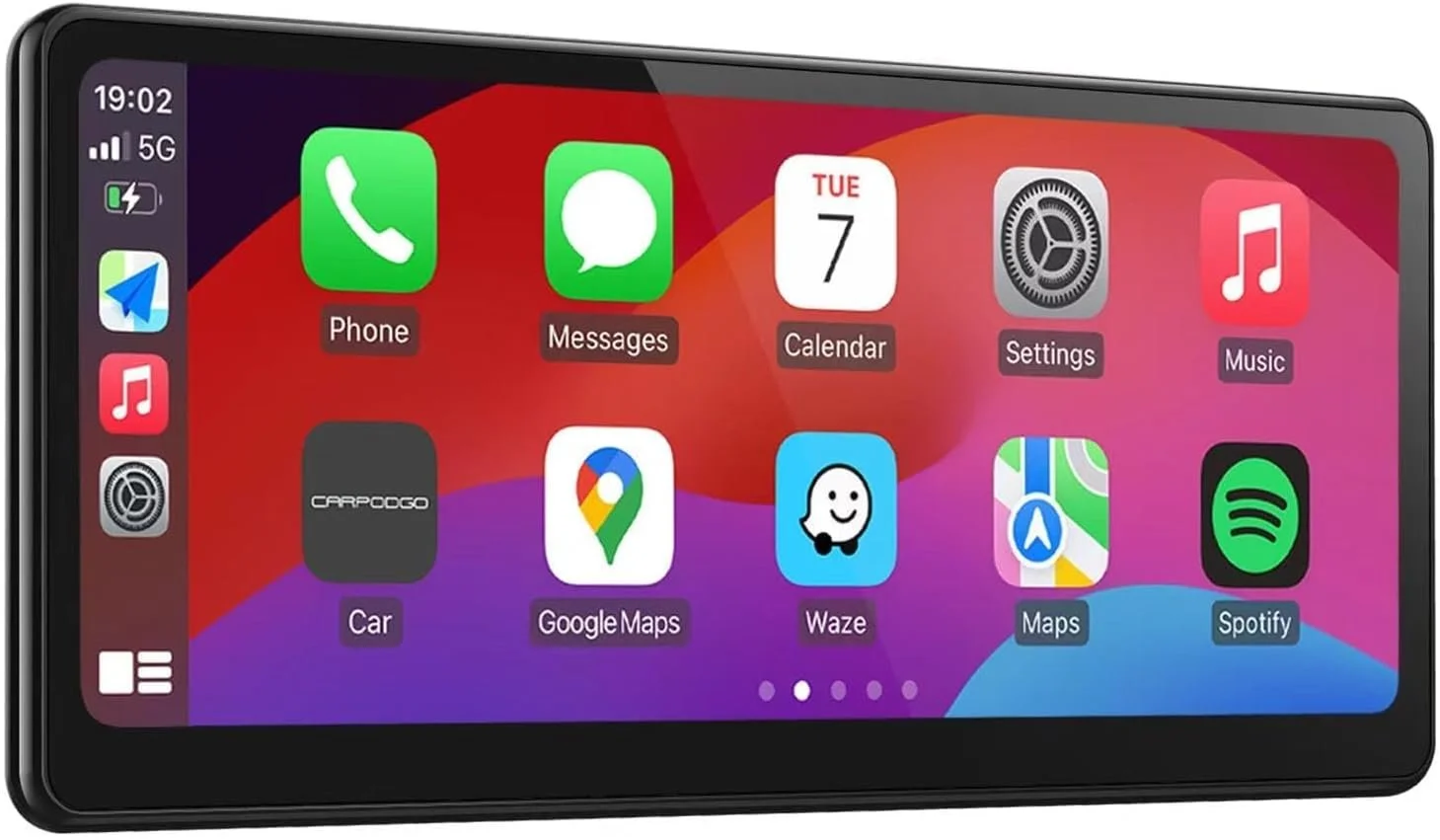
The Carpodgo T3 Pro makes even the oldest cars feel modern
Installation & Setup
Installation is simple:
Mount the screen where it’s visible on your dashboard or windshield.
Plug in the USB‑C power lead.
Pair your phone over Bluetooth — CarPlay or Android Auto connects automatically.
Most users report this takes only a few minutes without needing complex wiring.
User Experience
Pros
Smooth and responsive interface — 60 fps support makes menus and animations feel fast and fluid.
Universal compatibility — works with Apple and Android phones and most vehicles lacking built‑in tech (although it works best with cars that have Bluetooth audio).
Minimal setup hassle — no permanent modifications required.
Cons / Considerations
Sound routing is not quite as effective in cars without Bluetooth (you still have AUX or FM options).
Some sturdier & more flexible mounting options would be nice (particularly for those who wish to flush mount l this in front of their existing infotainment screen.
Value Proposition
At the time of writing, the T3 Pro is priced around £185 on Amazon one of the most compelling ways to modernise an older vehicle’s infotainment without replacing the factory stereo. The smooth wireless experience, combined with a high-quality screen and straightforward installation, places it ahead of many cheaper 30 fps alternatives.
Who It’s Best For
Owners of older cars without built-in CarPlay/Android Auto.
Drivers who want wireless connectivity and a large screen without a full stereo install.
People who value a clean, smooth user interface and quick startup.
———
About the Author
Jim Starling is the founder of DefinitelyNotAGuru, a UK-based automotive media outlet focused on clear, honest, consumer-first journalism. His work cuts through marketing hype and technical jargon to help everyday drivers make sense of car buying, leasing, ownership costs, and the transition to electric vehicles.
An independent motoring journalist and long-term EV owner, Jim brings real-world experience to his reporting. Whether covering major international motor shows or testing family cars on UK roads, his focus remains the same: straightforward analysis and genuinely unbiased advice that puts the audience first.
Full video review here